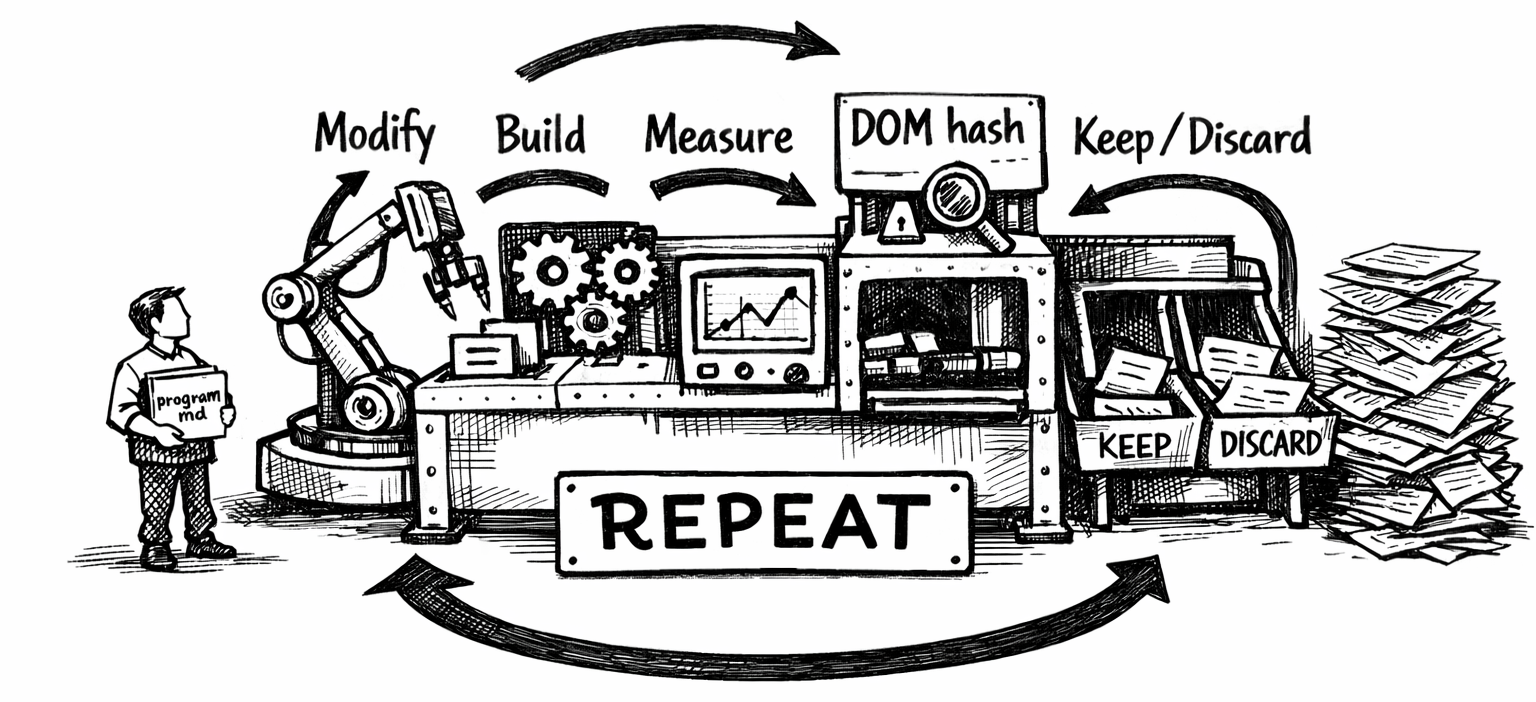
Andrej Karpathy released autoresearch in March 2026 – a pattern for letting an AI agent autonomously run ML experiments in a loop. The human writes strategy in program.md, the agent handles all code changes and evaluation. Modify → train → check loss → keep or discard → repeat.
I adapted this to web performance. Instead of training a neural network, the agent modifies Hugo templates and CSS, builds the site, runs Lighthouse with mobile throttling, and keeps or discards each change based on whether Largest Contentful Paint improved. The hard constraint: zero visual changes – enforced by a structural DOM hash that auto-rejects any experiment that alters the page structure.
Over one session, the agent ran 200 experiments. Here’s what happened.
The setup
The evaluation harness (evaluate.py) does four things per experiment:
- Build the site with
hugo --minify --gc - Measure output file sizes by category
- Compute a structural hash of the body DOM across three pages (homepage, about, photography)
- Run Lighthouse CLI with mobile throttling (4x CPU slowdown, simulated 4G, 412px viewport)
The primary metric is worst_lcp_ms – the highest Largest Contentful Paint across those three pages. Lower is better, same as val_bpb in the original autoresearch. Each experiment takes about two minutes.
The agent was allowed to modify eight files: extend_head.html (resource hints), baseof.html (base template), single.html (post template), index.html (homepage), photography/list.html (gallery), footer.html (scripts), hugo.toml (config), and custom.css (performance-only CSS properties). It could not touch content, the theme, fonts, images, or any visual CSS.
LCP over 200 experiments
The trajectory tells the story. The first few experiments delivered the biggest gains, then returns diminished. The downward staircase pattern is characteristic of optimization – early wins are large and obvious, later wins are marginal and noisy. The spikes are failed experiments that got discarded.
Baseline was 2,638ms. The agent got it to a stable 2,109ms – a 20% reduction in worst-page LCP on simulated mobile 4G.
Experiment outcomes
Of 200 experiments, 147 were kept (74%) and 47 discarded (23%). Four crashed the build entirely (usually by invalidating Hugo’s image cache, triggering a rebuild timeout). The keep rate is deceptively high – many “kept” changes were neutral on LCP but improved secondary metrics like FCP or build size, and about 70 were quick-mode CSS commits that skipped the full Lighthouse evaluation entirely. Only about 15 experiments delivered a measurable LCP improvement.
What actually moved the needle
The biggest single improvement was adding content-visibility: auto to gallery thumbnails (-222ms). This told the browser to skip rendering off-screen images entirely, which freed up main-thread time during the initial paint.
The most surprising win was removing a font preload (-146ms). The font <link rel="preload"> was competing with the LCP image for bandwidth on simulated 4G. Without it, the browser loaded the font just fine via the CSS @font-face – slightly later, but freeing up the critical path for the image that actually determined LCP.
Image quality reduction (q80 → q60 on thumbnails) and matching the preload to the new quality level delivered another -76ms by shrinking the LCP image’s byte size.
The surprise: preloads can hurt
Resource preloading was the most volatile optimization category. The agent discovered that removing the font preload saved 146ms, while removing the gallery image preload cost 527ms. Preloading three thumbnails instead of one caused contention and added 72ms. Adding fetchpriority=high to the font preload added 149ms.
On a throttled 4G connection, every preload competes for the same limited bandwidth. The optimal strategy turned out to be: preload exactly one critical image, preload zero fonts, and let the browser’s native priority system handle everything else.
Build size vs. LCP
Build size and LCP had almost no correlation. The site grew from ~700MB to ~949MB (from accumulated experimental CSS and config), then dropped to ~689MB after a clean rebuild – with no effect on LCP. Most of the size is in processed images, which Hugo caches aggressively. The LCP improvements came entirely from resource loading strategy and rendering hints, not from reducing bytes.
The noise problem
Lighthouse scores on localhost are noisy. The same unchanged site can swing up to ±370ms between runs. The agent dealt with this by noting when results seemed noisy (e.g., “1961/2333 noisy”) and sometimes running a second evaluation to confirm. Several experiments were kept or discarded on what was likely noise.
This is the same problem ML researchers face with val_bpb – the signal-to-noise ratio drops as you approach the optimum. Late in the run, the difference between a “keep” and a “discard” was often within the measurement error. The chart above shows pairs of back-to-back evaluations on the same commit, demonstrating the typical variance.
CSS containment: death by a thousand cuts
The agent added contain: layout style paint or content-visibility: auto to over 40 elements. Individually, none of these moved LCP by more than a few milliseconds. Collectively, they may have contributed to the overall improvement, but it’s impossible to isolate their effect from the noise floor.
This is the long tail of web performance – dozens of tiny optimizations that are individually unmeasurable but might compound. The autoresearch pattern is ideal for this kind of work because the cost of trying (and discarding) a micro-optimization is near zero.
The structural hash saved the day
The DOM hash caught six experiments that would have changed the site’s appearance:
keepEndTags=false– removed closing tags, breaking structure- Photography template script removal – altered the page layout
scroll-to-topdisabled – removed a DOM element- Code copy button disable – changed the about page structure
- Photo count changes on homepage – altered the grid structure
- JSON metadata block – added a new script element
Without the hash, these changes would have been kept (some improved LCP) and the site would have silently broken. The hash acts as an automated visual regression test – crude but effective.
What I learned
Resource contention is everything on mobile. On a fast desktop connection, adding preloads is free. On simulated 4G with 1.6 Mbps bandwidth, every preload steals from everything else. The optimal strategy is ruthless prioritization: exactly one preload for the LCP element, nothing else.
The autoresearch pattern generalizes. Karpathy designed it for ML training loops, but the structure – program.md for strategy, a fixed evaluator, keep/discard decisions, a results log – works for any optimization problem with a measurable objective. Web performance, bundle size, build time, query latency – anything with a number you want to move.
200 experiments is overkill for web performance. The agent had essentially exhausted the search space by experiment 50. The remaining 150 experiments were increasingly marginal CSS containment hints and configuration toggles. An ML model has millions of parameters to explore; a Hugo site has maybe 30 meaningful performance levers.
Noise is the limiting factor. By experiment 30, the remaining opportunities were smaller than the measurement noise. A proper setup would use multiple Lighthouse runs per experiment and compare medians. The agent tried this occasionally but not systematically.
The best optimization was a deletion. Removing the font preload, removing JSON output format, removing unused srcset breakpoints – the three cleanest wins were all about doing less. The browser’s defaults are heavily optimized. Fight them at your peril.
The numbers
| Metric | Before | After | Change |
|---|---|---|---|
| Worst LCP (mobile 4G) | 2,638ms | 2,109ms | -20% |
| Lighthouse perf score | - | 99 | - |
| Homepage FCP | - | 904ms | - |
| Experiments run | - | 200 | - |
| Experiments kept | - | 147 | 74% |
| Experiments discarded | - | 47 | 23% |
| Build crashes | - | 4 | 2% |
| Structure hash violations | - | 6 | 3% |
The full experiment log, evaluation harness, and agent instructions are on GitHub.