I have 22 years of photos in Google Photos. Somewhere in that pile are the shots I’m actually proud of – landscapes, travel scenes, nature, the odd well-composed hobby photo. The problem is finding them. Google’s search is decent for “photos of beaches” but useless for “my best photography that doesn’t have people in it.” So I built a pipeline to do it.
The raw material
Google Takeout delivered 15 zip files totaling 723GB. Roughly 100,000 photos spanning 2003 to 2025. Everything from DSLR RAW files to blurry phone screenshots to photos of receipts. The goal was to extract gallery-worthy landscape and nature photography – no people as subjects, just the best images from two decades of shooting.
I used Claude Code as the primary tool for the whole project. Not as a black box that magically picked winners, but as a collaborator writing Python scripts, iterating on scoring logic, and helping me think through the filtering stages. The actual image processing was all local – Python, OpenCV, and Pillow running on a regular PC.
The pipeline
The pipeline ran in stages, each one narrowing the pool. Here’s how the numbers shook out:
| Stage | What it does | Photos in | Photos out |
|---|---|---|---|
| Pass 0: Metadata scan | Scan JSON sidecars inside zips without extracting images. Score by file size, RAW format, GPS presence, people tags, album keywords | 98,312 | 98,312 (scored) |
| Pass 1: Extract and score | Extract from zips, generate 256px thumbnails, compute image quality scores | 85,876 | 85,876 (scored) |
| Pass 2: Dedup | Perceptual hash deduplication (hamming distance 8 or less) | 67,392 (score 70+) | 44,404 unique |
| Pass 2b: Content filter | OpenCV face detection via Haar cascades, screenshot detection | 44,404 | 32,074 |
| Pass 2c: Skin filter | HSV skin tone detection, outdoor/nature classification, score boost for nature scenes | 32,074 | 12,812 |
| Pass 3: Contact sheets | Generate 171 contact sheets, manual visual review picking gallery candidates | 12,812 | ~143 picks |
| Pass 4: Final curation | Strict category-based review, cutting near-dupes and weaker shots | 143 | 51 final |
From 98,312 to 51. A 99.95% reduction.
The scoring
Pass 1 computed a composite quality score for every image. The idea was simple: good photos tend to be sharp, colorful, well-exposed, and high resolution. Bad photos tend to be blurry, washed out, or tiny. The score combined several signals:
Sharpness – Laplacian variance of the grayscale image. The Laplacian operator highlights edges; images with strong focus have high variance. Blurry phone shots score low, sharp landscapes score high.
Colorfulness – The Hasler and Suesstrunk metric, which works in opponent color space (red-green and yellow-blue channels). Saturated sunsets and tropical water score well. Gray parking lots don’t.
Contrast – Standard deviation of luminance. Flat, hazy shots get penalized. Images with a full tonal range get rewarded.
Resolution bonus – Extra points for high megapixel counts. A 24MP DSLR shot started with an advantage over a 2MP flip phone capture. RAW format files got an additional boost on the assumption that I was being more intentional when I shot in RAW.
Metadata signals – GPS coordinates suggested travel photos worth a closer look. Album keywords like “vacation” or “hiking” added points. Large file sizes correlated with higher-quality originals.
The threshold for advancing past Pass 1 was a composite score of 70 or above. That cut roughly 18,000 low-quality images before any heavier processing began.
The people filter
This was the most interesting technical challenge. I wanted landscape and nature photography, not portraits or group shots. The pipeline attacked this in layers.
First, OpenCV’s Haar cascade face detector caught the obvious cases – photos where faces were clearly visible. That was Pass 2b, and it removed about 12,000 images along with detected screenshots.
But plenty of photos have people in them without showing clear faces. Beach scenes, hiking shots, crowd photos. Pass 2c used HSV color space skin tone detection to estimate how much of the image contained skin-colored pixels. Photos above the threshold got cut. Photos with very low skin content and high green/blue channel ratios got flagged as likely outdoor/nature scenes and received a score boost.
The skin filter removed 19,262 images. It was surprisingly effective. Not perfect – it occasionally flagged sandy beaches or terra cotta rooftops – but the false positive rate was low enough that the contact sheet review caught the few nature photos that got wrongly cut.
The visual review
After all the automated filtering, 12,812 photos remained. Still too many to look at one by one. The pipeline generated 171 contact sheets – grid images with 75 thumbnails each at 192px. Each thumbnail had its filename overlaid so I could trace picks back to the source.
This was the manual stage. I scrolled through the contact sheets, marking promising photos. At 192px you can’t judge fine detail, but you can absolutely judge composition, color, and subject matter. The contact sheet format made it fast – I could evaluate 75 photos in under a minute.
That pass yielded about 143 candidates. Then one more round of strict review: organizing by category, cutting near-duplicates where I had three similar shots of the same mountain, and dropping anything that didn’t hold up at full resolution. That brought the final count to 51.
What worked
Code did 99% of the heavy lifting. The entire automated pipeline – metadata scanning, quality scoring, deduplication, face detection, skin filtering, contact sheet generation – ran locally with no API calls. Python, OpenCV, and Pillow. No cloud GPU, no expensive vision API for bulk filtering.
Perceptual hashing was reliable. Google Photos is full of duplicates – the same image downloaded at different resolutions, backed up from multiple devices, shared and re-saved. Perceptual hashing with a hamming distance threshold of 8 caught most of them without being so aggressive that it merged genuinely different photos.
Contact sheets were the right abstraction. There’s a sweet spot between “look at every photo individually” (too slow) and “let the algorithm decide” (too opaque). Contact sheets at 192px hit that sweet spot. Fast enough for a human to scan thousands of photos in a sitting, detailed enough to make real judgments about composition.
The pipeline processed 100K photos in a few hours on a regular PC. No special hardware. The bottleneck was extracting images from 723GB of zips, not the scoring or filtering. Once images were extracted and thumbnailed, everything else was fast.
The result
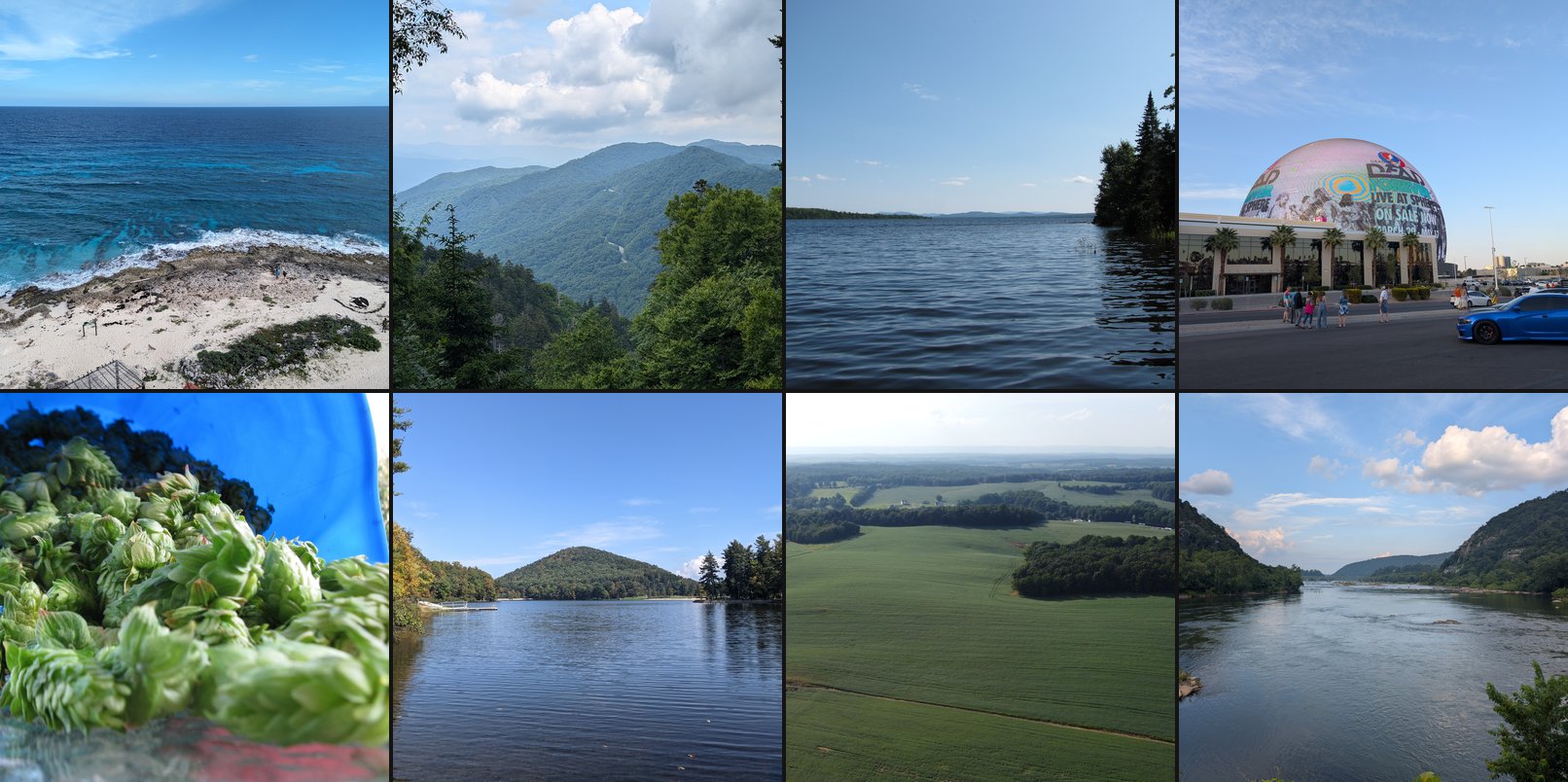
51 photos spanning 2008 to 2025. Mountain vistas from out west. Lakes in Maine. Caribbean water. Flowers and garden shots. RC planes and coffee. Architecture. Countryside drives. Rivers and streams. A few odd subjects that were just visually interesting.
Each photo gets published through the site’s existing photography pipeline – AI-generated title, alt text, and description via Claude Haiku, with a round of human editing before it goes live.
It’s a strange feeling to compress two decades of photos down to 51 images. But that’s the point. The gallery isn’t an archive – it’s a curated collection. And finding 51 genuine keepers in 100,000 candidates feels about right. The ratio tracks with what any photographer will tell you: most of what you shoot isn’t good, and that’s fine. The pipeline just made it practical to find the ones that are.
See the gallery
Here’s a taste of what made the cut: